

If you are comparing Carista vs Veepeak, you are really comparing two different ideas of what an OBD2 scanner should be. Veepeak makes inexpensive Bluetooth scanners that plug into your car and pass data to whichever app you choose. Carista builds both the scanner and the app, so diagnostics, coding, service tools and live data live in one place on your phone.
This guide compares both on what matters when you buy: setup, app experience, diagnostics depth, car coding, service resets, compatibility and total cost.
By the end you will know which one fits a quick check-engine-light scan in a parking lot, and which one fits a driver who wants full control of the car from their phone.
Carista vs Veepeak: which to buy?
Veepeak is a cheap adapter that needs a third-party app and covers mainly engine codes. Carista pairs its own scanner and app for diagnostics, coding, service tools and live data in one place.
- Pick Veepeak
- For a low-cost check engine light reader.
- Pick Carista
- For ABS/airbag scans, hidden features, service resets and VW Group SFD unlock.
Carista vs Veepeak at a glance

What is Carista?
Carista is an OBD2 system made of two parts: a Bluetooth scanner (the Carista EVO Scanner or the Carista OBD Reader) and the Carista App for iOS and Android. The app reads and clears fault codes, unlocks manufacturer-hidden features, runs DIY service procedures and shows live data. It supports 30+ brands, including Audi, BMW, Ford, Hyundai, Kia, Lexus, Toyota, Volkswagen, Volvo and a lot more.
Carista is an official VW Group partner, so it can unlock SFD-protected VW Group cars and supports diagnostics, live data and service tools on newer SFD2 models. The app also adds AI-assisted diagnostics that explain fault codes in plain language, and a Car Diary to log service and maintenance history.
Learn more: Track Every Car Repair & Service in One App
What is Veepeak?
Veepeak is a US brand of low-cost OBD2 adapters built on the ELM327 command set. Its best-known models are the OBDCheck BLE, the faster OBDCheck BLE+ and the Android-only Mini Bluetooth (VP11).
A Veepeak adapter has no app of its own. You pair it with a third-party app such as OBD Fusion, Car Scanner ELM OBD2, Torque Pro (Android), BimmerCode or the Carista App. Out of the box, it covers generic OBD2 functions: engine codes, live sensor data and I/M (emissions) readiness. Anything beyond that depends on the app you buy and your car.
Own scanner, own app: why Carista is more reliable and secure
The biggest difference between Carista and Veepeak is not price. It is who controls the whole chain between your phone and your car.
Carista designs both the scanner and the app. Every feature is built and tested for that one combination, so connections are stable and results are consistent. You never have to guess whether an adapter, an app and your car will work together.
- Secure by design: your car talks only to Carista's own hardware and software, with no unknown apps in between
- Officially licensed: Carista is an official VW Group partner, so SFD-protected access goes through an approved route, not a workaround
- Warranty-safe: customizations are fully reversible, so you can restore factory settings at any time, for example before a dealer visit
- One support team: if something goes wrong, one company is responsible for both the scanner and the app
Veepeak has no app of its own. Every function depends on an app from a separate developer, and quality, updates and data handling vary from app to app.
Veepeak itself warns buyers to avoid look-alike apps that imitate popular names like Torque or Car Scanner, because they may not work properly or may add unexpected charges. When an unofficial app writes to your car's control units, there is no single company standing behind the result.
Carista vs Veepeak: head-to-head
Setup and app experience
Carista wins on simplicity. You plug the scanner into the OBD2 port, turn the ignition on, enable Bluetooth, open the Carista App and tap Connect. One app handles everything, and features appear based on what your specific car supports.
Veepeak setup takes more decisions. You choose an app first, then set the adapter type inside it. On iPhone, you must not pair the BLE models from the iOS Bluetooth menu; you connect from inside the app instead. That is easy once you know it, but it is the most common stumbling block for first-time users.
Diagnostics
Both read and clear generic engine fault codes and show emissions readiness. The gap opens beyond the engine. Veepeak notes that ABS, airbag and TPMS data use proprietary protocols, so access depends on a paid third-party app and on your vehicle.
Carista Pro reads ABS, SRS (airbag), transmission and TPMS modules on supported cars, adds manufacturer-specific codes and builds a car health report. AI diagnostics then explain what a code means and how urgent it is, so you are not left searching forums.
Car coding and hidden features
This is where Carista is in a different category. On supported cars, it unlocks hidden features such as disabling the seatbelt chime, auto-folding mirrors, welcome lights, cornering lights and alarm settings. Changes are reversible and stay in the car even after your subscription ends.
A Veepeak adapter cannot code a car on its own. You need a brand-specific coding app such as BimmerCode for BMW, or the Carista App itself.
Service and maintenance tools
Carista Pro includes DIY service procedures on supported cars: oil service reset, battery registration, electronic parking brake (EPB) service mode, DPF regeneration and throttle adaptation. These are jobs that otherwise mean a workshop visit.
Veepeak's own product listing states that special functions such as EPB reset, ABS bleeding and oil or service resets are not supported by the adapter. Some third-party apps add a few of them for certain cars.
Live data
Veepeak plus a good app is strong for generic live data. Apps like Car Scanner and OBD Fusion offer custom dashboards and graphs for RPM, coolant temperature, fuel trims and more.
Carista's free plan shows basic OBD2 live data. Pro adds extended live data, including fuel trims and O2 sensors, plus brand-specific values such as service intervals, mileage information and airbag crash counts on supported cars, which is useful when checking a used car.
Vehicle compatibility
Veepeak adapters work with almost any OBD2-compliant car: 1996+ in the US, 2001+ petrol and 2004+ diesel in the EU. They support the five standard OBD2 protocols, but not MS-CAN or SW-CAN, which some Ford and GM features rely on.
Carista's basic diagnostics also work on any car with an OBD2 port. Advanced features depend on make, model and year, so check your car on the Carista supported cars page before buying. For VW Group owners, Carista's official SFD access is a key difference that generic adapters cannot match.
Why Carista is the more user-friendly solution on the go
A warning light rarely appears when you are parked in your own garage. It shows up on a road trip, in a car park or on the way to work. In that moment, the best tool is the one you can use in two minutes without research.
Carista is built for exactly that. The EVO Scanner is small enough to live in the glovebox, connects over Bluetooth to the phone already in your pocket, and opens one app with plain-language results. You do not need to know which third-party app supports which module, or which adapter setting to choose.
- One app, every job: scan, clear, code, service and monitor without switching apps
- Plain-language answers: AI diagnostics explain codes and urgency so you can decide whether to keep driving
- Records that travel with you: the Car Diary keeps service history on your phone, ready for a mechanic or a buyer
- Used-car checks on the spot: read mileage-related data, airbag crash counts and service info before you buy, on supported cars
- Unlimited vehicles: one Pro plan covers every car in the family
Veepeak is portable too, and it is a great value pocket code reader. The difference is that Carista turns your phone into a complete, guided car tool rather than a data link you still have to configure.
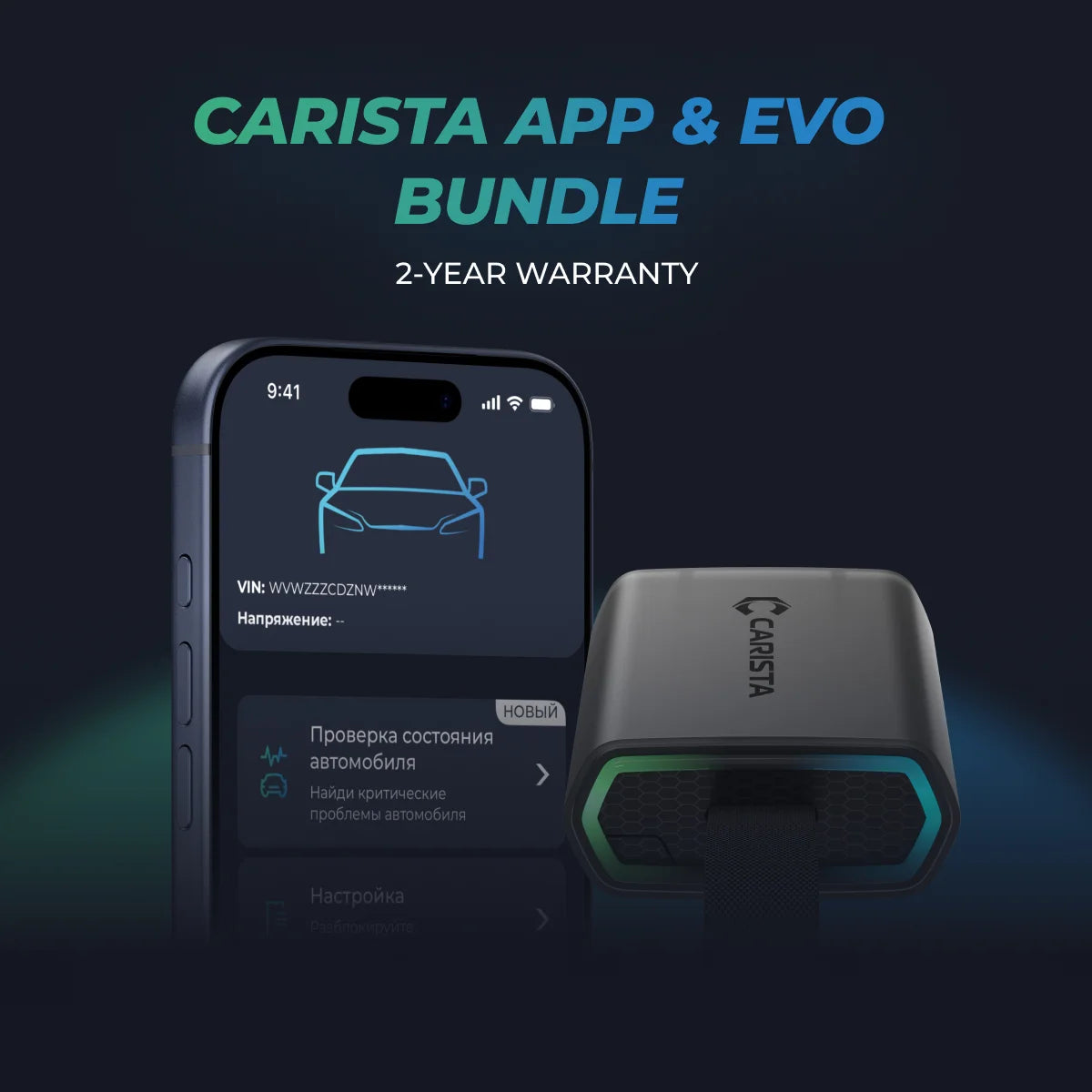
Unlock More with the Carista Bundle
$109.99
- EVO OBD2 Scanner & 12-month PRO access included
- Our best scanner yet
- Trusted by 3M+ Drivers Worldwide
- VW Group's Official Partner
- 200+ Hidden Features
- FREE Shipping & 2 Year Warranty
Everything you need in a single order.
FAQs
What is the most user-friendly OBD2 scanner?
For most drivers, an all-in-one system like Carista is easiest, because the scanner and app are designed together and guide you step by step.
Does Carista void my car warranty?
Carista customizations are reversible and described by Carista as warranty-safe, so you can switch any change back to factory settings at any time. Its scanner and app are built together, and for VW Group cars Carista works as an official partner.
What is the difference between Carista and Veepeak?
Veepeak sells OBD2 adapters only, which need a third-party app. Carista sells a scanner and its own app together, covering diagnostics, coding, service resets and live data in one place.
Which is the best OBD2 scanner for iPhone, Carista or Veepeak?
Both the Carista EVO and the Veepeak OBDCheck BLE/BLE+ work with iPhone. Carista is easier because its own app handles setup, while Veepeak needs a compatible third-party app.
Which OBD2 scanner is best for VW and Audi with SFD?
Carista EVO, because Carista is an official VW Group partner with SFD unlocking and SFD2 support for diagnostics, live data and service. Generic adapters like Veepeak cannot unlock SFD.
Disclaimer: The information provided in this article is intended for educational and informational purposes only and should not be considered as professional advice. We work hard to give you accurate and current information about OBD2 tools, diagnostics, and car issues.