Az Ön Audi Q2 1st gen facelift járműve támogatott.

287 funkció érhető el

Kijelölés módosítása

Audi Q2

1st gen facelift

Az Ön Audi Q2 1st gen facelift járműve támogatott.

287 funkció érhető el

Kijelölés módosítása
Az autójához elérhető funkciók
Keresési funkciók
Keresési funkciók

Testreszabás

Oldja fel a gyártó által elrejtett funkciókat a biztonság növeléséhez, az infotainment-rendszer fejlesztéséhez és a vezetési élmény személyre szabásához.
244
Most Popular 10
Chassis & Engine 9
Dings & Warnings 6
Driver Assist 5
Heater & A/C 3
Instruments: Displays & Nav 38
Instruments: Language & Units 9
Lights: Bulb Checks 20
Lights: Coming/Leaving Home 17
Lights: Daytime Running Lights (DRL) 14
Lights: Exterior 38
Lights: Interior 6
Locking: Automatic 3
Locking: Beep & Blink 6
Locking: Doors & Alarm 5
Mirrors 8
Parking Sensors 7
Seats & Steering Wheel 12
Trunk 1
Windows & Sunroof 17
Wipers & Washer 4
Other 6

Diagnosztizáljon

Diagnosztizálja az ABS-, SRS-, motor-, sebességváltó-, TPMS-, HVAC- és egyéb műszerfali figyelmeztető lámpákat, és azonnal törölje a hibakódokat.
18
Basic OBD2
CAN network gateway
Engine
Transmission
Power steering
Airbags
Instrument cluster
Infotainment system
Heater & air conditioning
Parking/steering assist
Central electronics
Driver's door
Front passenger's door
Trunk
Adaptive cruise control
Back-up camera
Telematics
Multifunctional module

Élő adatok

Maradjon naprakész a jármű valós idejű adataival, beleértve a motor fordulatszámát, a sebességet, az üzemanyag-korrekciókat, az oxigén- (O2-) érzékelő adatait, a hűtőfolyadék- és olajhőmérsékletet, valamint még sok mást.
10
Launch control count
Airbag crashes count report
Service interval info
Wheel speed live data
Car battery info
Engine turbo live data
HVAC live data
Engine data
Vehicle mileage information
Basic OBD2 live data

Szerviz

Kezeld önállóan a szervizintervallumokat, végezd el a szerviz- és olajcsere-visszaállítást, a TPMS-, EPB- és akkumulátor-regisztrációs visszaállítást, a DPF-regenerálást, valamint más szervizfunkciókat.
15
Used car checks
Video in Motion
MirrorLink in Motion
Service indicator reset
Electronic parking brake service
Battery registration
Throttle body adaptation
Fuel system prime
Basic setting of transmission
TPMS reset
Instrument cluster colors test
Instrument cluster gong test
Detailed ECU info
Emission tests
Acceleration test

Minden elérhető funkció

Testreszabás

Oldja fel a gyártó által elrejtett funkciókat a biztonság növeléséhez, az infotainment-rendszer fejlesztéséhez és a vezetési élmény személyre szabásához.
244 funkció
Most Popular 10
Chassis & Engine 9
Dings & Warnings 6
Driver Assist 5
Heater & A/C 3
Instruments: Displays & Nav 38
Instruments: Language & Units 9
Lights: Bulb Checks 20
Lights: Coming/Leaving Home 17
Lights: Daytime Running Lights (DRL) 14
Lights: Exterior 38
Lights: Interior 6
Locking: Automatic 3
Locking: Beep & Blink 6
Locking: Doors & Alarm 5
Mirrors 8
Parking Sensors 7
Seats & Steering Wheel 12
Trunk 1
Windows & Sunroof 17
Wipers & Washer 4
Other 6
Basic OBD2
CAN network gateway
Engine
Transmission
Power steering
Airbags
Instrument cluster
Infotainment system
Heater & air conditioning
Parking/steering assist
Central electronics
Driver's door
Front passenger's door
Trunk
Adaptive cruise control
Back-up camera
Telematics
Multifunctional module
Launch control count
Airbag crashes count report
Service interval info
Wheel speed live data
Car battery info
Engine turbo live data
HVAC live data
Engine data
Vehicle mileage information
Basic OBD2 live data
Used car checks
Video in Motion
MirrorLink in Motion
Service indicator reset
Electronic parking brake service
Battery registration
Throttle body adaptation
Fuel system prime
Basic setting of transmission
TPMS reset
Instrument cluster colors test
Instrument cluster gong test
Detailed ECU info
Emission tests
Acceleration test

Nem biztos benne, hogy egy funkció működni fog az Ön konkrét Audi Q2 járművén? Próbálja ki a Caristát kockázatmentesen 30 napos pénzvisszafizetési garanciánkkal.

Audi Q2 (1st gen facelift)

287+ funkció

Készen állsz, hogy átvedd az irányítást a Audi Q2 felett?

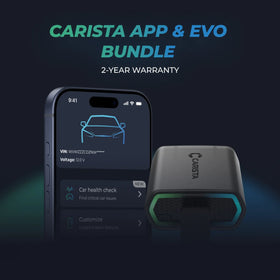
Legnépszerűbb termékCarista Bundle: EVO + 12-Month PRO

Carista Bundle: EVO + 12-Month PRO

Diagnosztikai eszköz £15.00 + £4.99/hónap az alkalmazásért

Készen állsz, hogy átvedd az irányítást a Audi Q2 felett?

Legnépszerűbb termékCarista Bundle: EVO + 12-Month PRO

Carista Bundle: EVO + 12-Month PRO

Diagnosztikai eszköz £15.00 + £4.99/hónap az alkalmazásért

Gyakran ismételt kérdések

Is using the Carista app and scanner safe, and how is my vehicle data protected?
Yes, using the Carista App and Scanners is safe.

Our company, certified with TISAX, achieved TISAX level 2 certification in January 2024, ensuring the highest information security standards. Trusted Information Security Assessment Exchange (TISAX) is a collection of information security policies we adhere to. We strictly follow them, utilizing advanced encryption and security protocols to protect your vehicle data, ensuring it remains confidential and secure at all times.

By implementing security measures, Carista ensures that using our App and Scanners is not only convenient for vehicle customizations and diagnostics but also safe and secure for your personal data.TEst
Does the Carista scanner include a warranty?
Yes, each Carista Scanner includes a 2-year warranty.

If you suspect the Scanner is faulty, double-check that it's securely plugged in, your car's ignition is on, and it's connected to the Carista App via Bluetooth. If the problem remains, find the gear icon at the bottom right of your Carista App screen and select "Report a problem." Our experts will help you troubleshoot or guide you through replacing the faulty scanner.
Does installing a Carista EVO scanner void my car's warranty?
Using an OBD-II (On-Board Diagnostics) scanner to monitor your vehicle's performance, diagnose issues, or gather data should not void your car's warranty. The OBD2 port is a standardized diagnostic interface that allows external devices to read information from the vehicle's computer system.

Our OBD Scanners are of high quality and are designed to work seamlessly with your vehicle’s computer system.

However, checking your vehicle’s warranty terms and conditions is important to see if using a particular OBD2 device or modification would impact your warranty coverage.
How do I connect the Carista EVO scanner?
Just plug the scanner into your car and start using the app. There’s no prior setup, pairing, or connecting necessary. Just make sure your phone/tablet’s Bluetooth is turned on. When the Carista app asks you what kind of scanner you’re using select Carista.
Összes GYIK megtekintése

Gyakran ismételt kérdések

Is using the Carista app and scanner safe, and how is my vehicle data protected?
Yes, using the Carista App and Scanners is safe.

Our company, certified with TISAX, achieved TISAX level 2 certification in January 2024, ensuring the highest information security standards. Trusted Information Security Assessment Exchange (TISAX) is a collection of information security policies we adhere to. We strictly follow them, utilizing advanced encryption and security protocols to protect your vehicle data, ensuring it remains confidential and secure at all times.

By implementing security measures, Carista ensures that using our App and Scanners is not only convenient for vehicle customizations and diagnostics but also safe and secure for your personal data.TEst
Does the Carista scanner include a warranty?
Yes, each Carista Scanner includes a 2-year warranty.

If you suspect the Scanner is faulty, double-check that it's securely plugged in, your car's ignition is on, and it's connected to the Carista App via Bluetooth. If the problem remains, find the gear icon at the bottom right of your Carista App screen and select "Report a problem." Our experts will help you troubleshoot or guide you through replacing the faulty scanner.
Does installing a Carista EVO scanner void my car's warranty?
Using an OBD-II (On-Board Diagnostics) scanner to monitor your vehicle's performance, diagnose issues, or gather data should not void your car's warranty. The OBD2 port is a standardized diagnostic interface that allows external devices to read information from the vehicle's computer system.

Our OBD Scanners are of high quality and are designed to work seamlessly with your vehicle’s computer system.

However, checking your vehicle’s warranty terms and conditions is important to see if using a particular OBD2 device or modification would impact your warranty coverage.
How do I connect the Carista EVO scanner?
Just plug the scanner into your car and start using the app. There’s no prior setup, pairing, or connecting necessary. Just make sure your phone/tablet’s Bluetooth is turned on. When the Carista app asks you what kind of scanner you’re using select Carista.
Összes GYIK megtekintése