Choosing the right Ford OBD2 scanner can save you hundreds of dollars in unnecessary mechanic visits — but only if you pick the tool that matches your car and skill level. Carista and FORScan are two of the most popular Ford OBD2 software solutions on the market, yet they serve very different audiences.
Carista brings a polished, mobile-first experience with guided menus, service resets, and Ford diagnostics right from your iPhone or Android. FORScan offer Windows-first experience with As-Built configuration editing, and advanced programming. This guide breaks down exactly what each tool offers Ford owners — and when each one is the right choice.
Why Ford Owners Need a Different OBD2 Comparison
Most OBD2 comparisons treat all vehicles equally. But Ford's vehicle architecture is fundamentally different from other brands. Ford uses two separate CAN bus networks — HS-CAN (High Speed) and MS-CAN (Medium Speed) — to connect its modules. The HS-CAN network covers the engine, transmission, and powertrain systems. The MS-CAN network hosts critical modules like the Body Control Module (BCM), Instrument Cluster (IPC), and Accessory Protocol Interface Module (APIM/Sync).
Both Carista and FORScan support Ford's HS-CAN and MS-CAN networks, giving both tools access to Ford's full module architecture.
What Is Carista?
Carista is a smartphone-based OBD2 app available for iOS and Android that pairs with a proprietary Bluetooth scanner: Carista EVO. Carista has built a reputation for making dealer-level diagnostics and vehicle customizations accessible to everyday drivers across a wide range of car brands.
Key Highlights of Carista
- Works with more than 30 brands: BMW, Audi, Volkswagen, Toyota, Lexus, Ford, GM, Subaru, Mazda, Lincoln, Nissan and more
- Guided, menu-driven coding for popular brand-specific customizations
- Live data: helps you monitor your engine’s vitals, including Engine RPM, Fuel Trims, O2 sensor data and more
- Advanced diagnostics of each car module: ABS, SRS, Engine, Transmission, TPMS, HVAC and much more
- A range of service DIY tools: Electronic parking brake service, Battey registration, Emissions test, Transmissions adaptations reset, Acceleration test and more
- Available on iPhone and Android — no laptop required
Carista Ratings: User-Approved Worldwide

What Is FORScan?
FORScan is a Windows-based OBD2 software designed specifically for Ford, Lincoln, Mercury, and Mazda vehicles. Its interface is less intuitive than Carista's, making it better suited for tech-savvy users.
Key Highlights of FORScan
-
Deep, OEM-level access to Ford, Lincoln, and Mazda modules
-
Passive Anti-Theft System (PATS) key programming
-
ABS module bleeding, transmission adaptations, and more
-
Runs on Windows PC/laptop (Android beta available)
-
Works with standard ELM327-based USB or Bluetooth adapters

Source: https://www.obdlink.com/products/obdlink-ex/
Carista vs FORScan: Side-by-Side Comparison

Scanner Type
Carista EVO connects wirelessly to your smartphone via Bluetooth in just a few minutes, while FORScan relies on ELM327-based USB or Bluetooth adapters paired with a Windows PC. Carista's mobile-first approach means no cables, no laptop — just plug in and go from your phone.
Carista EVO provides 3x times faster Bluetooth connectivity, battery-saver sleep mode, wider app features, MS & HS-CAN protocol support for Ford, Lincoln, Land Rover, SFD unlock and much more.
Supported vehicles
Carista EVO supports 30+ car brands, including Ford, Lincoln, Mazda, VW, Audi, BMW, Toyota, Nissan, GM, and more — making it a versatile choice for multi-brand households. FORScan, by contrast, is exclusively focused on Ford, Mazda, and Lincoln, limiting its usefulness if you own or switch between different brands.
Ford Module Access
Both Carista EVO and FORScan support Ford's MS-CAN and HS-CAN protocols, giving users access to the full range of Ford modules. On this front, the two tools are evenly matched.
Ease of use
Carista EVO is designed for everyone — its guided, intuitive interface requires no prior technical knowledge. FORScan: its interface assumes a higher level of technical familiarity, making it better suited to intermediate and advanced users.
Multi-Vehicle Support
Carista EVO supports an unlimited number of vehicles under a single subscription, making it ideal for drivers who own multiple cars or manage a household fleet. FORScan does not offer multi-vehicle support in the same way, limiting its flexibility for users with more than one vehicle.
Platform Support
Carista EVO is available on both iOS and Android, built around a mobile-friendly experience. FORScan is a desktop-first tool that runs on Windows PC, with only a limited Android beta available — meaning iPhone users and those without a laptop have no full access to it.
Best For
Carista EVO is the go-to tool for everyday drivers and multi-brand users who want powerful diagnostics without complexity. FORScan is best suited to DIY mechanics who own a Ford or Mazda and want deep, technical access to their vehicle's systems.

Features Deep Dive
Diagnostics
Both tools read and clear Diagnostic Trouble Codes (DTCs) across all major modules (engine, transmission, ABS, airbag, body control, etc.). Carista is capable of scanning all car modules in just a few minutes.
Live Data
Carista presents live sensor data in a graphical, easy-to-read dashboard. FORScan provides highly detailed numerical PID data with the ability to log and graph multiple parameters simultaneously — preferred by enthusiasts tuning or diagnosing performance issues.
Vehicle Coding & Customizations
This is where Carista excels for multi-brand users. Carista offers brand-specific, guided coding for popular features like enabling cornering lights on BMWs, adjusting DRL behavior on VW/Audi models, or customizing door lock behavior on Toyotas.
Carista offers more than 100+ guided customizations for Ford
Options vary by model year but commonly include:
-
Adjust automatic door locking behaviour (lock on drive, unlock on park)
-
Enable or disable the passenger airbag indicator light
-
Configure Ford's Hill Start Assist sensitivity
-
Adjust daytime running light behaviour on select Ford models
-
Customise the horn honk on lock/unlock confirmation
Check Ford supported vehicles in advance
FORScan's equivalent is As-Built configuration editing — more technical approach. Experienced Ford users can unlock features like trailer brake controller activation, enabling auto high beams, or retrofitting features from higher trim levels.
Special Service Functions
Carista includes common service tools such as battery registration,EPB service, Headlights basic settings, Emissions test, Acceleration test. FORScan goes further with Ford-specific procedures: ABS module bleeding, PATS (immobilizer) key programming, injector coding, and transmission shift adaptation resets.
Disclaimer: Carista is ideal for Ford owners who want to handle their own service resets, run diagnostics from their phone, and make popular coding tweaks — without needing a Windows laptop or technical forum research.
When Carista Is the Right Choice for Ford Owners
FORScan wins on raw capability depth, but Carista is the better fit for a significant portion of Ford owners. Here is when Carista is genuinely the smarter pick:
-
You use an iPhone — there is no full FORScan iOS app; Carista gives iPhone users a complete Ford diagnostic and coding solution
-
You want to handle service resets (battery registration, EPB service and more) from your phone without setting up a Windows laptop
-
You also own a non-Ford vehicle — Carista's multi-brand support means one subscription covers your F-150 and your partner's BMW or Toyota
-
You want guided coding with plain-English descriptions — Carista walks you through Ford customisations step-by-step with no hex values or technical research required
-
You are new to OBD2 and want a tool that works straight out of the box
-
You manage multiple household vehicles across different brands — Carista handles all of them in one app
The key insight: Carista and FORScan are not competing for the same Ford owner. Carista is for the everyday driver who wants smart, independent maintenance tools. FORScan is for the enthusiast or mechanic who wants complete, dealer-level control.
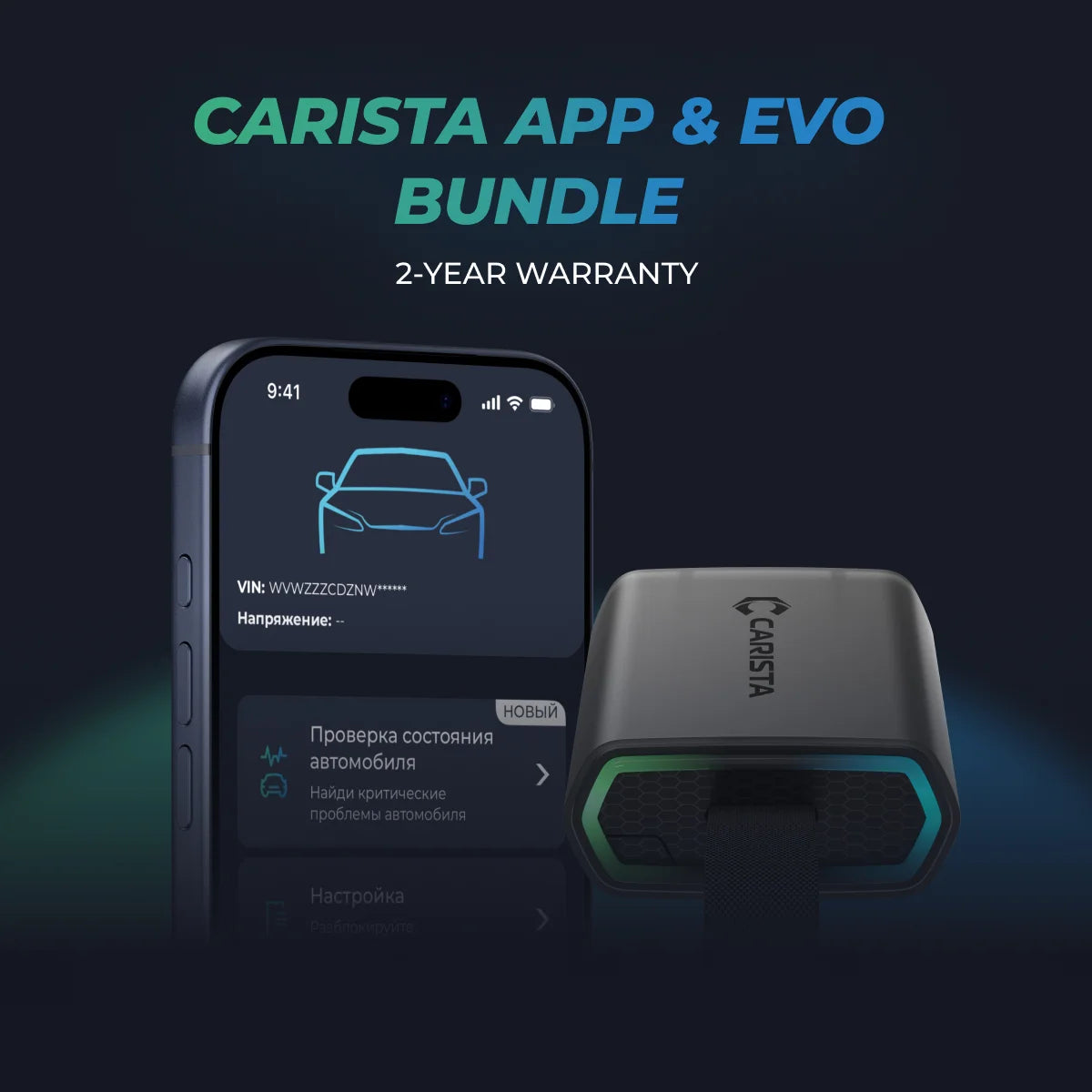
Unlock More with the Carista Bundle
€109,99
- EVO OBD2 Scanner & 12-month PRO access included
- Our best scanner yet
- Trusted by 3M+ Drivers Worldwide
- VW Group's Official Partner
- 200+ Hidden Features
- FREE Shipping & 2 Year Warranty
Everything you need in a single order.
Frequently Asked Questions
Does Carista work on Ford vehicles?
Yes, Carista supports Ford vehicles and offers diagnostics, some service resets, and 100+ Ford customizations
No. FORScan is exclusively designed for Ford, Lincoln, Mercury, and Mazda. For BMW and Audi, Carista or dedicated tools like ISTA or VCDS are more appropriate.
What OBD2 scanner do I need for FORScan?
FORScan recommends a quality ELM327-based adapter. The OBDLink EX (USB) and OBDLink MX+ (Bluetooth) are highly recommended by the FORScan community. Avoid ultra-cheap no-name adapters, which can cause connection problems or incomplete module access.
Is Carista worth the subscription?
For most users, yes. If you regularly use the coding features or need service resets, the ~$59.00/year or 14.99$/monthly cost is quickly recouped versus dealer fees.
Does FORScan work on Mac or iPhone?
The full desktop version of FORScan is Windows-only. There is an Android beta with limited functionality. There is no official iOS version. Mac users typically run FORScan through a Windows virtual machine (e.g., Parallels or VirtualBox).
*Disclaimer: The information provided in this article is intended for educational and informational purposes only and should not be considered as professional advice. While we strive to provide accurate and up-to-date content regarding OBD2 tools, diagnostics, and related automotive issues, the specifics of each vehicle may vary.
*Always consult your vehicle’s manufacturer guidelines and consider seeking professional assistance when dealing with complex or critical diagnostic issues.