KEY TAKEAWAYS:
- Car coding can unlock features your car already has but may not be using. Your mirrors may be able to fold when you lock the car.
- Your daytime running lights may be adjustable. Your windows may close from the remote. You paid for the hardware; coding helps you control the software.
- Car coding is the process of changing software settings in your car’s control units, or ECUs. It helps built-in features work the way you want. It does not replace parts, cut wires, or tune the engine. It adjusts vehicle parameters stored inside control modules.
In this guide, you’ll learn what car coding is and how it works. You’ll also see what hidden features you can unlock.
You’ll learn if it is safe. You’ll also learn how to do it without a dealership visit. Carista makes this accessible from your phone with an OBD2 scanner and a simple app.
Carista supports 30+ brands, including BMW, VW, Audi, Skoda, SEAT, Toyota, Lexus, Ford, MINI, and more, with exact features depending on your vehicle.
What is car coding?
Car coding starts with one fact: modern cars are software-controlled machines. Your lights, mirrors, windows, locks, parking sensors, dashboard warnings, climate settings, and driver-assistance systems are managed by ECUs. Each ECU stores parameters that tell the car how a feature should behave.
Coding changes those parameters. Think of it like changing your phone’s settings, not replacing its hardware. When you switch your phone to dark mode, you do not install a new screen. You simply change a software preference.
Car coding works the same way. If your car has the required hardware, and the maker left a setting in the control module, coding may let you change it.
Car coding is different from diagnostics. Diagnostics reads fault codes, warning-light data, and live values so you can understand problems.
Coding changes feature behavior. It is different from tuning. Tuning usually changes engine or transmission performance. For example, it can adjust boost, fueling, torque limits, or throttle response.
Most modern cars from around 2005 onward are strong candidates for OBD2-based diagnostics and, where supported, coding. In the U.S., OBD inspection rules apply to 1996-and-later light-duty vehicles and trucks. Feature-level coding still depends on each car’s software, hardware, and control modules.

What can car coding unlock?
- Lighting — DRL behavior, welcome lights, ambient lighting
- Comfort — auto-fold mirrors, remote window close, seat belt chime
- Safety — lane assist, parking sensors, warning settings
This is where car coding becomes useful. You are not changing abstract software menus. You are changing small things you feel each day when you drive, park, lock, or start the car. Available options depend on your make, model, year, market, trim, and installed hardware.
A BMW 3 Series, VW Golf, Audi A4, Skoda Octavia, SEAT Leon, and Toyota Prius can have different features.
Lighting: You can adjust daytime running lights, coming-home and leaving-home lights, and welcome lights. You can also adjust interior lights, ambient lighting modes, and exterior bulb checks. You may also change visual startup effects, such as needle sweep.
Comfort: Depending on the car, you can enable auto-fold mirrors and remote window close. You can also enable remote window open and mirror dip in reverse. You can set lock and unlock confirmation and automatic door locking. You can adjust wiper behavior, climate preferences, and the lane-change signal flash count.
Safety and driver assistance: Some supported vehicles let you change lane assist settings. You can also adjust parking sensor thresholds, warning tones, driver-assist alerts, and display preferences. These settings do not add missing radar sensors or cameras; they adjust supported software behavior for systems already fitted to the car.
 Carista supports 100+ coding options across BMW, VW Group, Toyota, Ford, and more on supported vehicles. The App shows the options available for your specific car.
The best feature is not always the flashiest one. Sometimes it is simply making your car stop annoying you every morning.
How does car coding work?
Car coding works through a simple chain: your phone, the coding app, the OBD2 scanner, the OBD2 port, and the vehicle’s ECUs. The OBD2 port is usually under the dashboard on the driver’s side, near the steering column or pedals. It is the access point technicians use for diagnostics, emissions checks, and control-module communication.
A Bluetooth or Wi-Fi OBD2 scanner acts as the hardware bridge. Your phone does not talk to the CAN bus directly. The scanner translates communication between the app and the vehicle network, then sends requests to the correct ECU. The app reads available settings, shows them in plain language, and writes the selected change back to the control module.
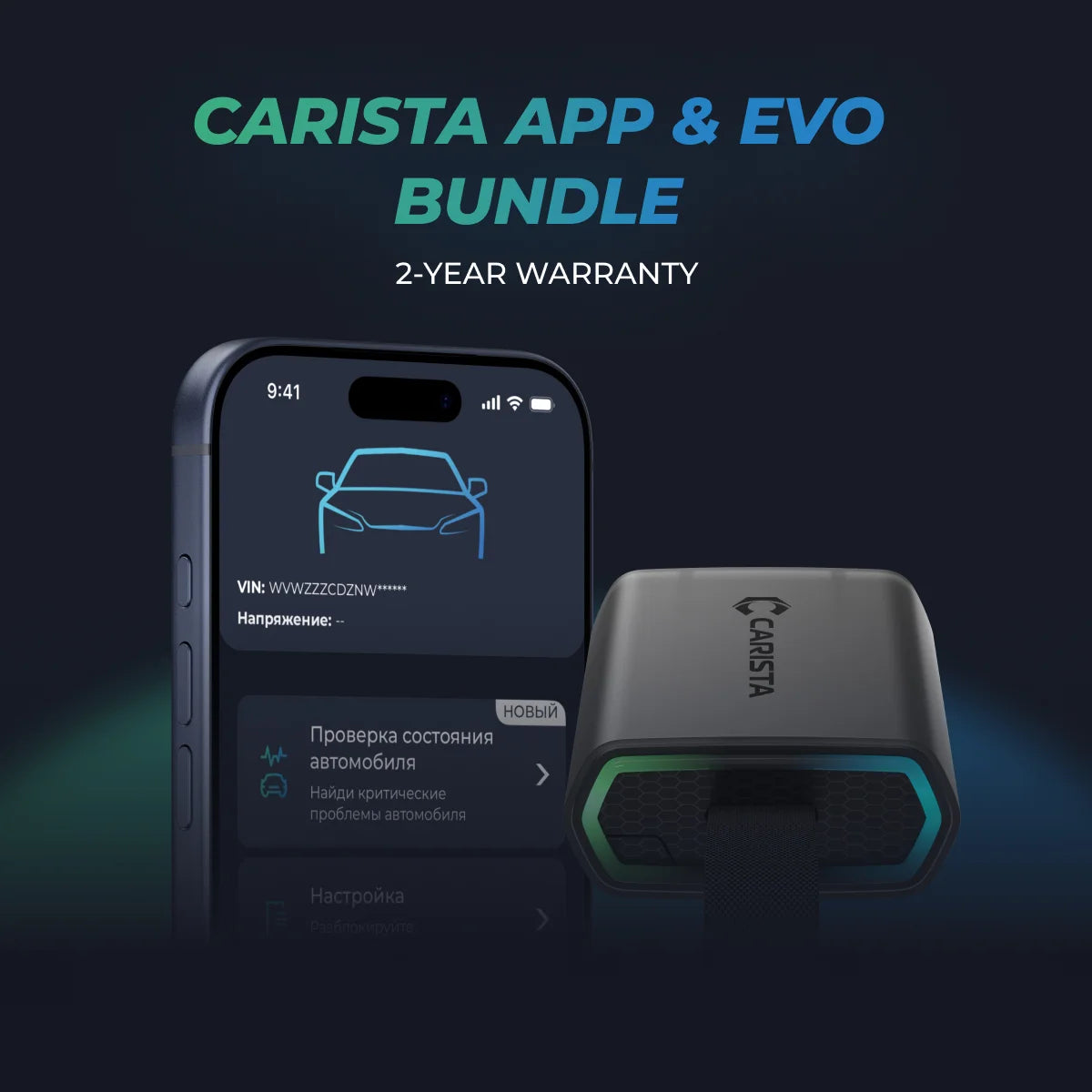
With Carista, the recommended route is the Carista EVO Scanner or another compatible scanner. Carista App works with official Carista scanners and selected third-party scanners, while available features depend on the vehicle and scanner.
You do not need to understand raw hex values, long coding strings, or binary data. Carista keeps coding understandable: you choose the feature, and the App handles the technical communication.
Is car coding safe?
Car coding is safe when you use a trusted tool, keep the car powered, and change only supported options for your specific vehicle. You are changing software parameters, not cutting wires, replacing modules, or modifying hardware.
The biggest safety rule is simple: do not guess. Carista reduces risk by showing options made for your vehicle in plain language.
It does not ask you to edit raw ECU values. We design changes to be reversible, and we build in backup/restore functionality through saved vehicle coding data.
Original settings → Coding change → Restore original settings
Do not use cracked apps, cheap fake scanners, random forum values, or instructions written for a different model year. Control modules can vary even within the same model line. A setting that works on one VW, BMW, Audi, or Toyota may not work on another.
Use reliable hardware, check compatibility first, and change one feature at a time. That way, you know exactly what changed.
How to code your car with Carista: step-by-step
You do not need a dealership appointment to code supported features. Here is the clean process.
- Download the Carista App on iOS or Android. Create your account and enable Bluetooth. The App supports coding, diagnostics, live data, and service functions on supported vehicles.
- Check your vehicle compatibility before buying anything. Your available coding options depend on make, model, year, market, trim, and equipment.
- Purchase a Carista OBD2 scanner. For the strongest compatibility, use the Carista EVO Scanner; selected third-party scanners can work, but features may be limited.
- Plug the scanner into your car’s OBD2 port. Look under the dashboard on the driver’s side, close to the steering column or pedals.
- Turn the ignition ON. In most cases, the engine does not need to be running, but the car must be awake.
- Open the Carista App and connect to the scanner. Let the App identify your vehicle and available systems.
- Select ''Customize'' from the menu, depending on the App version.
- Browse the features available for your specific car. Start with simple comfort settings, such as mirrors, lights, locks, windows, or warning sounds.
- Toggle the feature on or off, confirm the change, and wait until the App finishes writing it.
- Restart the vehicle, lock/unlock it, or cycle the ignition if the App tells you to confirm the change.
Unlock More with the Carista Bundle
€109,99
- EVO OBD2 Scanner & 12-month PRO access included
- Our best scanner yet
- Trusted by 3M+ Drivers Worldwide
- VW Group's Official Partner
- 200+ Hidden Features
- FREE Shipping & 2 Year Warranty
Everything you need in a single order.
Carista vs. other car coding tools
The best car coding tool depends on your car and skill level. VCDS is powerful and respected, especially for VW Group vehicles, but it is Windows-based and more technical. Ross-Tech describes VCDS as Windows-based diagnostic software for VW, Audi, SEAT, and Skoda.
BimmerCode is simple and strong if your garage is mainly BMW, MINI, or Toyota Supra. Its official site describes it as a tool for coding BMW, MINI, and Toyota Supra vehicles yourself.
OBDeleven is app-based and popular with VW Group drivers, with one-click apps and plan-based coding options. OBDeleven says its One-Click Apps are available for Volkswagen Group, BMW Group, Toyota Group, Ford Group, and Mercedes-Benz Group vehicles, while PRO includes manual coding features for Volkswagen Group vehicles.
Carista differs because it offers an all-around DIY tool design. You get coding, diagnostics, live data, and service functions in one mobile App, across multiple supported brands. That matters if you own more than one brand, share tools in the family, or want one scanner that can do more than one job

If you want maximum manual control, choose the specialist tool. If you want the easiest way to code your own car at home, Carista is the better fit.
FAQs
What is car coding?
Car coding is the process of modifying a vehicle’s electronic control units, or ECUs, to change how certain features behave. Unlike tuning, which alters engine performance, coding adjusts software parameters such as lighting behavior, mirror folding, warning chimes, window controls, or comfort settings. You usually do it through the car’s OBD2 port using a compatible app like Carista.
Is car coding safe?
Yes, car coding is safe when you use trusted tools and only change supported options for your vehicle. Reputable apps like Carista show vehicle-specific settings, use backup/restore workflows, and help you avoid risky raw ECU changes. Avoid unverified tools, unknown ECU maps, and coding instructions for different models.
Which cars can you code?
Most modern cars manufactured after 2005 support OBD2-based diagnostics, and many support coding depending on brand, model, year, and equipment. Carista supports a wide range of brands including BMW, Volkswagen, Audi, Skoda, SEAT, Toyota, Lexus, Ford, MINI, Volvo, and more.
Can I code my car without going to a dealership?
Yes. With a compatible OBD2 scanner and a car coding app like Carista, you can code supported features at home from your phone. You do not need to book a dealership appointment for many simple customizations.
What features can I unlock with car coding?
Common car coding features include automatic mirror folding, remote window closing, daytime running light customization, welcome lights, ambient lighting adjustments, parking sensor behavior, lane assist preferences, turn-signal flash count, and seat belt reminder settings where supported and legal.
What is the Carista OBD2 scanner?
The Carista OBD2 scanner is a Bluetooth scanner that plugs into your car’s OBD2 port, usually under the driver-side dashboard. It connects wirelessly to the Carista App on iOS or Android and enables diagnostics, coding, live data, and service functions.
How much does car coding cost with Carista?
The Carista App is free to download, while advanced features such as customizations, manufacturer-specific diagnostics, and service tools require a paid subscription. Carista lists App Pro at $14.99 per month or $59.99 per year. You also need a compatible Carista Scanner to use all features.
How does Carista compare to VCDS or BimmerCode?
VCDS is a professional-grade Windows tool focused on VW Group vehicles. BimmerCode is a mobile coding app focused on BMW, MINI, and Toyota Supra.
Carista supports many brands in one app. It combines coding, diagnostics, live data, and service tools. This makes it a strong choice for beginners, DIY owners, and multi-brand households.
*Disclaimer: The information provided in this article is intended for educational and informational purposes only and should not be considered as professional advice. While we strive to provide accurate and up-to-date content regarding OBD2 tools, diagnostics, and related automotive issues, the specifics of each vehicle may vary.
*Always consult your vehicle’s manufacturer guidelines and consider seeking professional assistance when dealing with complex or critical diagnostic issues.